Click the three-dot (…) menu in the top right of the Tella Mac app; the Account item shows the email you’re signed in with.
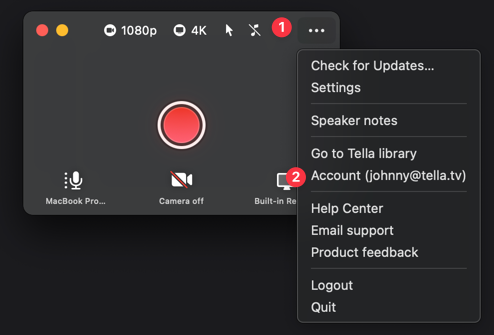
Click the three-dot (…) menu in the top right of the Tella Mac app. The Account item in that menu shows the email you’re signed in with, for example Account (you@company.com).