

-
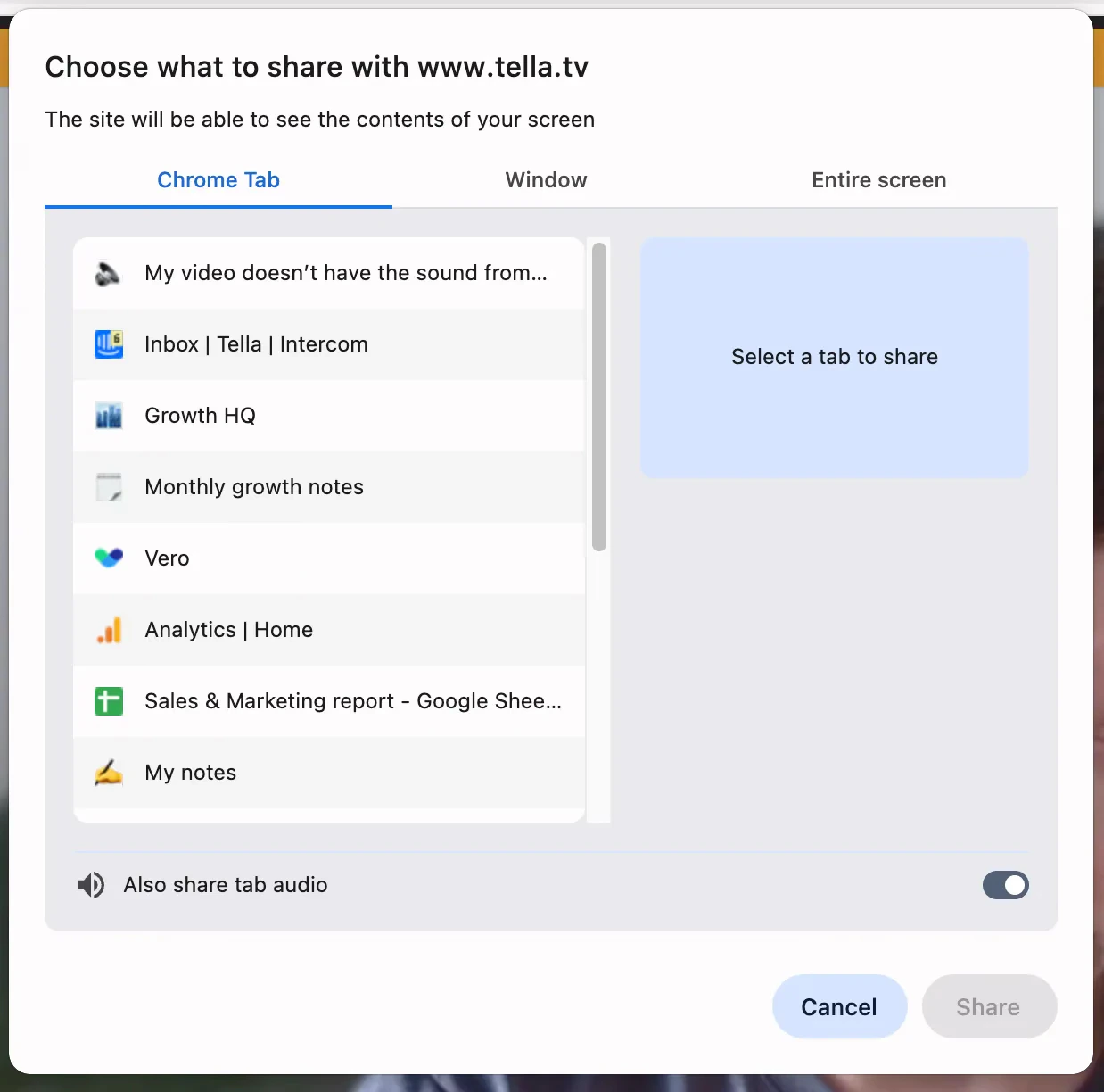
Record in Chrome and select ‘Chrome Tab’ and make sure that ‘Also share tab audio’ is toggled on
-
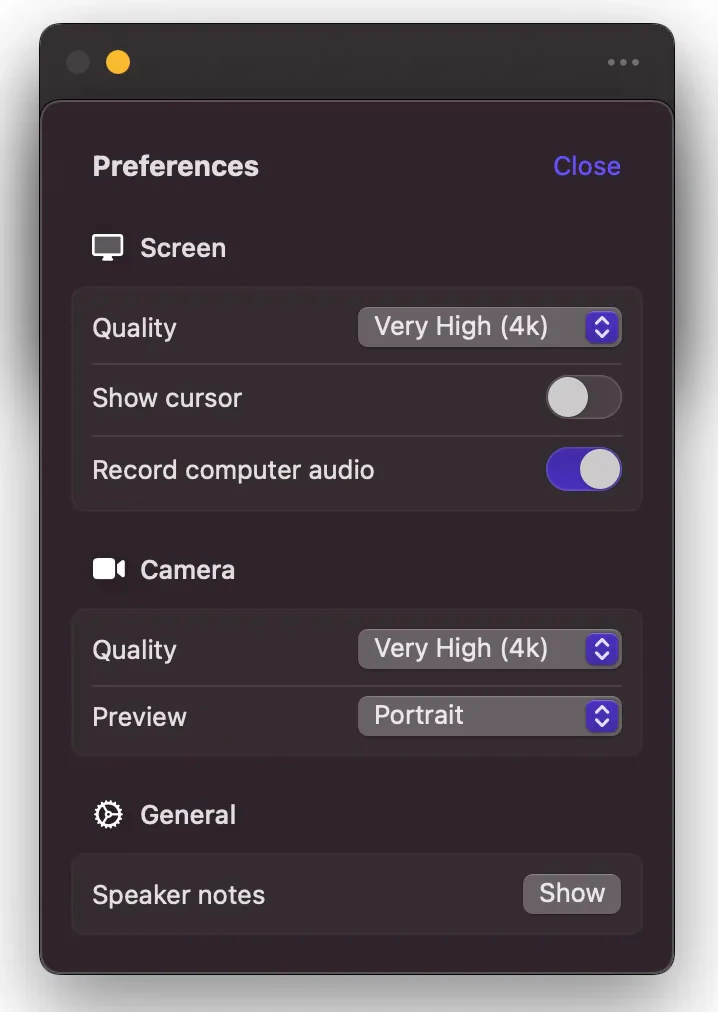
Record in the Mac app, and in the Preferences, toggle on ‘Record computer audio’
Troubleshooting
My video doesn’t have the sound from my computer
Why your recording has your voice but not your computer’s sound, and how to capture system audio next time.
If you’ve tried to record sounds coming out of your computer (not just you speaking, e.g., meeting, YouTube video) but your final video doesn’t have it - only your voice - then it probably wasn’t recorded.
To record your system’s audio, you have to either: